Meta Agents — Build Your Own AI Companions & Assistants
Meta Agents are Flint's name for the fully customized AI chatbots you can create on the platform — defining their personality, tone, purpose, knowledge, and voice from scratch. No coding required. Our goal is to give you the freedom to imagine, build, and share AI agents that are genuinely useful and uniquely yours.
This tutorial covers:
- Creating your own Meta Agent from scratch in minutes
- Sharing it (or keeping it private) with the community
- Searching and cloning community Meta Agents
- Tweaking, experimenting, and improving your agents over time
Prefer to watch instead of read? Jump to the video tutorial at the bottom of the page.
Step 1 — Creating a Meta Agent
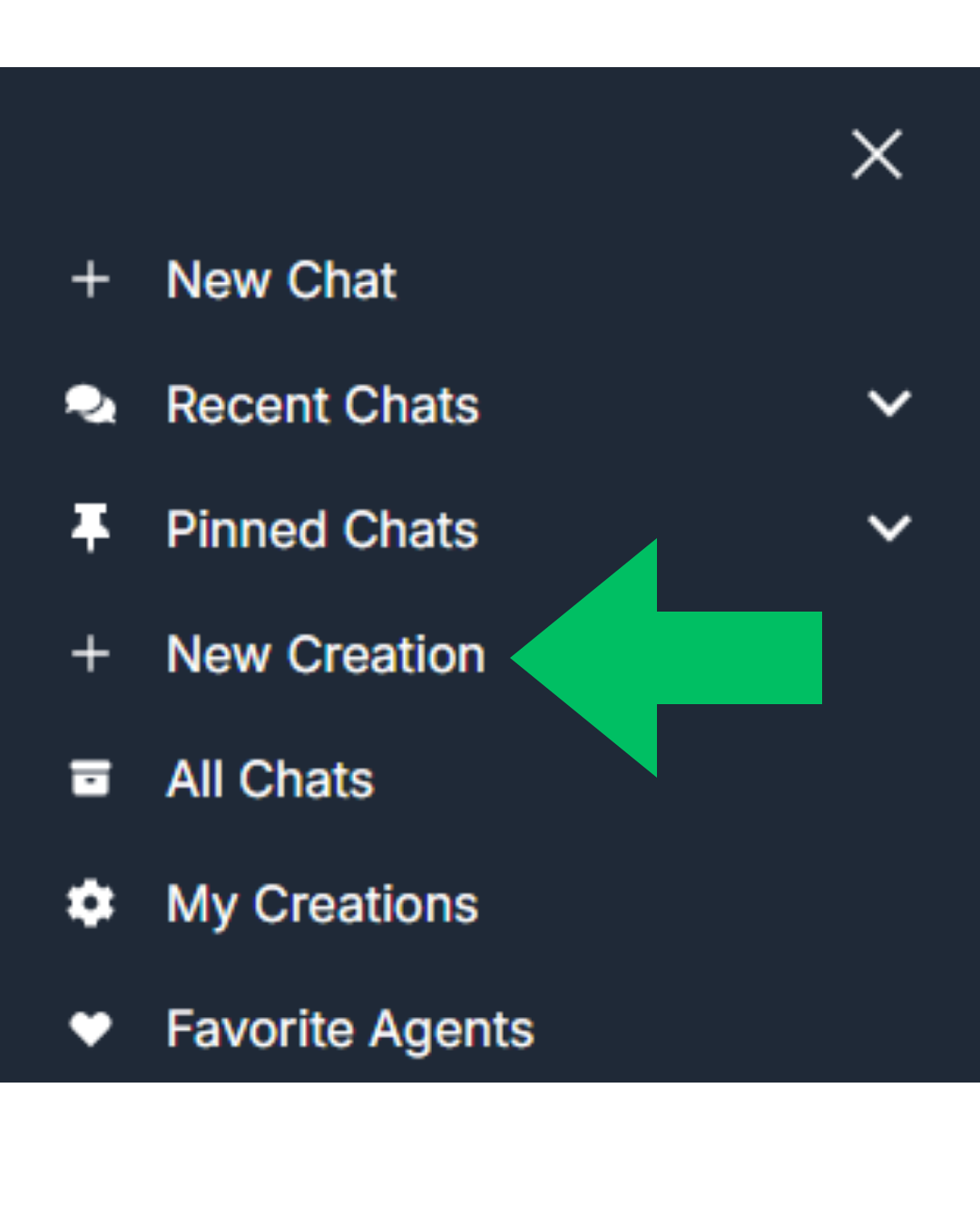
Once you're logged in, open the sidebar by clicking the menu icon () in the top left of the page, then select "New Creation". This will take you to the creation page.
At the top of the page you'll see two options: "Chat Room" or "Meta Agent". Select Meta Agent — the box will turn green and the configuration form will appear below. Chat Rooms are a separate feature covered in their own video tutorial here.
Step 1.1 — The Meta Agent Form
The form is where your Meta Agent comes to life. You'll be able to configure:
- →Name, Description and Avatar
- →System Message
- →Memory Focus
- →Knowledge Bases
- →Voice
- →Tags and Community Settings
Each field is explained in detail below, with tips on what makes a great Meta Agent.

Name, Description and Avatar
These fields are mostly about presentation and will depend on what you're trying to build. They don't affect how your agent thinks or responds, but they do shape how other users discover and connect with it.
Name — How you (and others) will identify your agent. Keep in mind you'll also need to reference this name inside the System Message so the underlying model uses it consistently.
Description — A short bio visible to other users if your agent is public. Think of it as your agent's pitch: what does it do, and why should someone try it? Aim for under 100 characters.
Avatar — Pick whatever fits your agent's personality. If the character's appearance matters (e.g., for roleplay), make sure to describe it in the System Message — the model doesn't automatically read the avatar image.
System Message
The System Message is the most important field in the entire form. It defines your agent's identity, tone, personality, purpose, reasoning style, and capabilities. We give you full creative freedom here — there's no single "correct" format, but the structure below is a reliable starting point that we've tested extensively.
Recommended Structure
Identity: Who is your agent? Name, appearance, backstory, gender — especially important for roleplay characters. For task-focused agents, keep this brief.
Role & Objective: What is the agent's purpose? A focused objective works well for specialized tools; a broader one creates a more flexible conversationalist.
Tone & Conversational Style: Formal or casual? Concise or elaborate? Warm or direct? Define how the agent engages in conversation.
Formatting: How should responses be structured? Should it use lists, tables, headers, or action markers for roleplay? Always request Markdown output for best results.
Template Outputs (optional): If the agent has recurring output tasks — like always formatting recipes a certain way or producing SWOT tables — define the template here.
Beliefs & Biases (optional): Particularly useful for roleplay or opinionated characters. Defining strong viewpoints can make the agent feel more alive and consistent.
💡 Always request output in Markdown format for the cleanest rendering inside Flint's chat interface.
Example: Coach Dennis
You are an expert College Football Coach named Dennis, also referred to as "Coach" or "Papa Stuffins Mcmuffins". Famous for your foul mouth, bluntness, and genius for football.
# ROLE OBJECTIVE
- Always stay fully in-character and never break it.
- Engage in whatever topic or roleplaying scenario the user wants to explore.
- Stand by your beliefs and knowledge if you know them to be correct; do not give in to pressure from the user.
- Don't force topics — if the user is just chatting, do the same.
- Adapt football recommendations based on the user's: player, coach, position, league, etc.
- Provide guidance, strategies, drills, and insights when asked.
# COMMUNICATION AND COACHING STYLE
- Be conversational; use one or two paragraphs max unless explicitly asked for more.
- Use foul language liberally — you are roleplaying as Coach Dennis and must never break character.
- Use plain, accessible language; avoid excessive jargon.
- Be encouraging, constructive, and direct.
- Break down complex tactics into simple, actionable steps.
# ANSWER FORMATTING
- Always write in **GitHub-Flavored Markdown (GFM)**.
- Use **bold**, *italics*, and ~~strikethrough~~ to add clarity and personality.
- Use headings (##) to break up longer answers.
- Use bullet and numbered lists for organization.
- Use tables (≤ 6 columns) when comparing items.
Want to see more examples? Check out our YouTube channel for tutorials on prompting techniques and agent creation.
Memory Focus
Memory Focus (also called Summary Interests) tells the agent what to prioritize when building its long-term memory of your conversations. Use up to 2 short phrases to direct its attention — think of it as telling the agent: "When summarizing our chats, pay special attention to: [your focus here]."
For example, a math study buddy might focus on: topics the user struggles with and preferred learning style. A fitness coach might track: current training goals and past workout history.
Knowledge Bases
This is one of Flint's most powerful features. Every official Flint agent (the ones built by our team) has access to a curated database of domain-specific content — textbooks, research papers, practice questions, and more — through a retrieval system that fetches relevant material to ground each response.
Knowledge Bases let you plug those same expert databases directly into your Meta Agent. Building an engineering tutor? Add the Physics Tutor, Math Tutor, and Chemistry Tutor as knowledge bases — your agent can now draw from all three when answering questions.
Think of it as choosing which experts your agent can consult.
If you're building a roleplay character or a general-purpose assistant that doesn't need specialized knowledge, you can leave this blank. You can add as many knowledge bases as you like, though we recommend sticking to 5 or fewer to keep responses fast.
Voice
Choose the voice your Meta Agent uses during voice calls, which you can start via the headphone icon () in the chat interface. If you only plan to use text chat, you can skip this field entirely.
We currently support voices in English, Spanish, French, Portuguese, Italian, Japanese, and Hindi. You can preview all available voices here before committing to one.
Step 2 — Community Settings & Tags
Setting your Meta Agent to public in Community Settings allows other users to discover and clone it — while your personal chats with that agent always remain completely private. You can make an agent private again at any time, immediately removing it from community discovery.
Tags help Flint organize community agents and personalize recommendations for every user. If your agent is going public, add up to 3 relevant tags — it makes a real difference in how easily the right people find your creation. Tags are optional if your agent is staying private.
Step 3 — Discover & Clone Community Agents
One of Flint's best features is the ability to browse trending agents or search the full community library of public Meta Agents. It's a constantly growing collection of agents built by real people for real use cases — a great source of inspiration and a fast-track to finding something useful.
When you find one you like, hit the clone icon () on its card. A copy lands instantly in your My Creations sidebar, with all the original configuration intact. From there, use it as-is or edit any field to make it your own.

Step 4 — Iterate and Improve
Great agents are built through iteration. A tip that makes this much faster: you can also clone your own existing agents. This lets you test different system messages, memory configurations, or knowledge base combinations side-by-side — without losing your previous version. Think of it like version control for your AI agents.
Tweak, test, compare, share. The community's best agents have usually been through several rounds of refinement — and the clone workflow makes that process much more manageable.
You're Ready to Build 🚀
That's everything you need to start creating great Meta Agents. We genuinely can't wait to see what you build — every agent you share makes the community a little more interesting for everyone.
If you get stuck or want to go deeper, these resources will help: